
iPad
Sudoku on the whole screen.
Sudoku Mori uses the whole iPad: the board on one side, the keypad, notes and hints on the other. Your hand stays off the grid, and the controls are right where your thumb is.
One app for iPhone and iPad. On iPhone it's a single column; turn an iPad sideways and it opens up. The beta is open now on TestFlight.
Left and right
Both hands, both themes.
The same puzzle, left-handed and right-handed, in light and dark. Switching sides is just a setting.
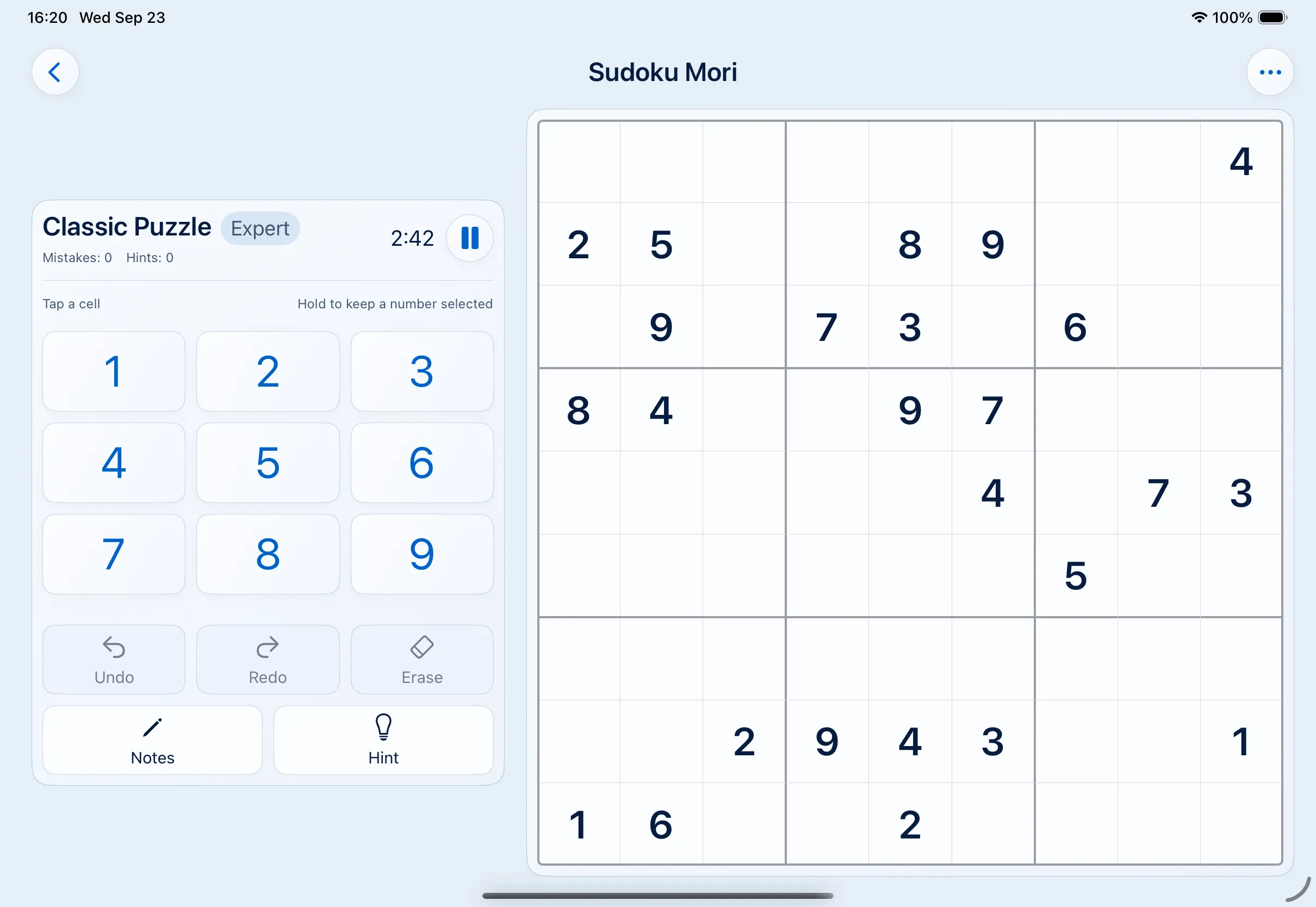
Left-handed · Light 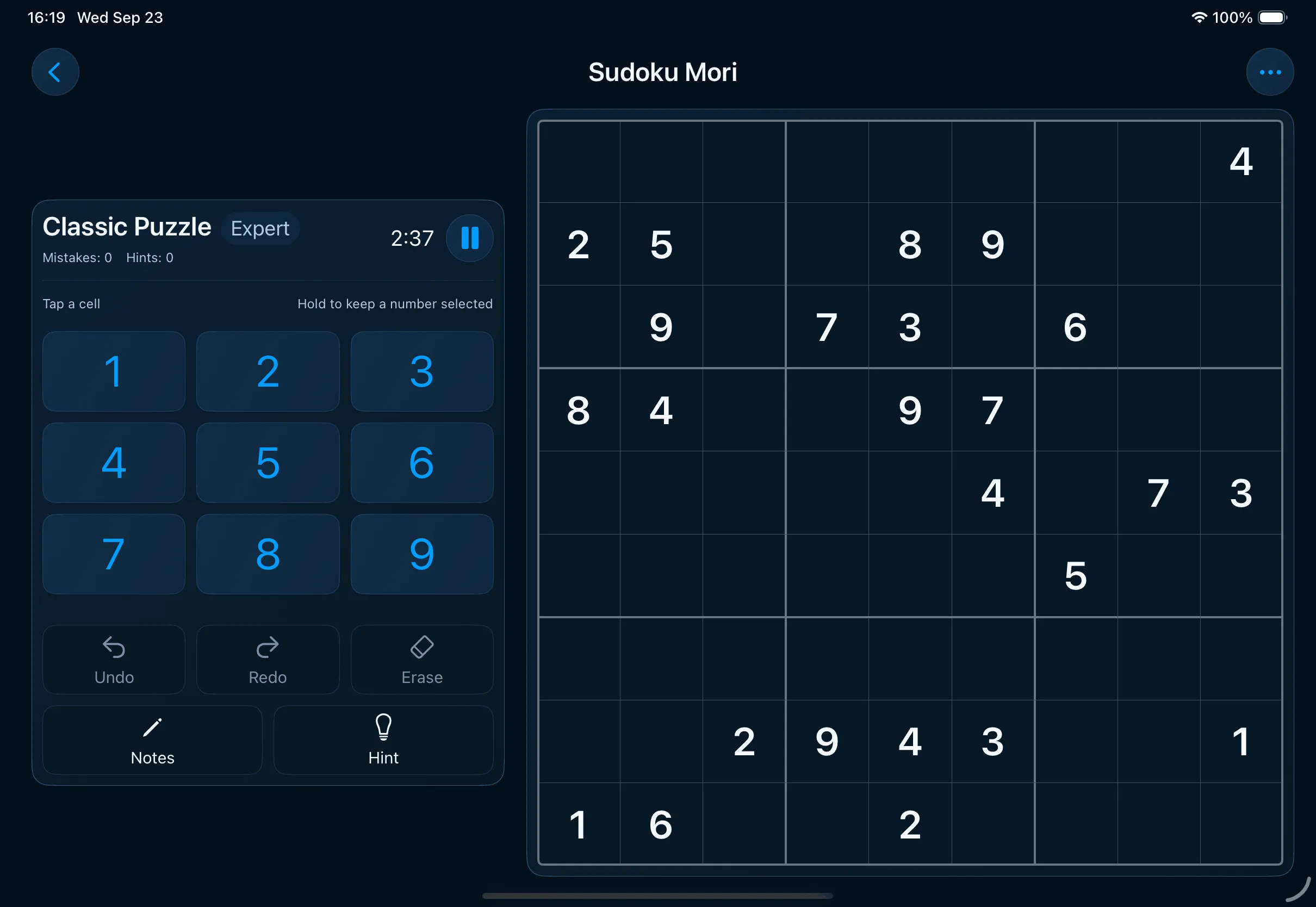
Left-handed · Dark 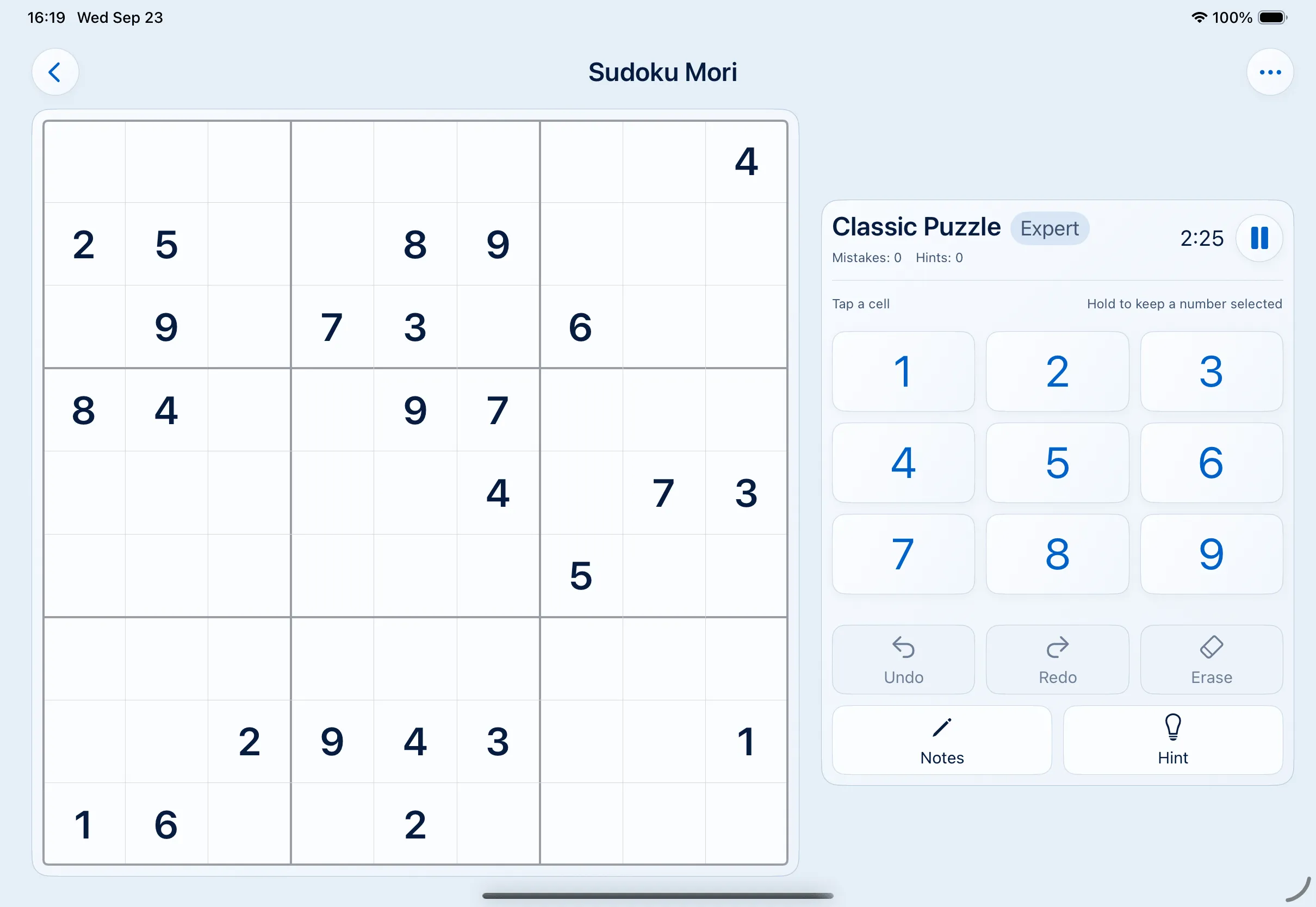
Right-handed · Light 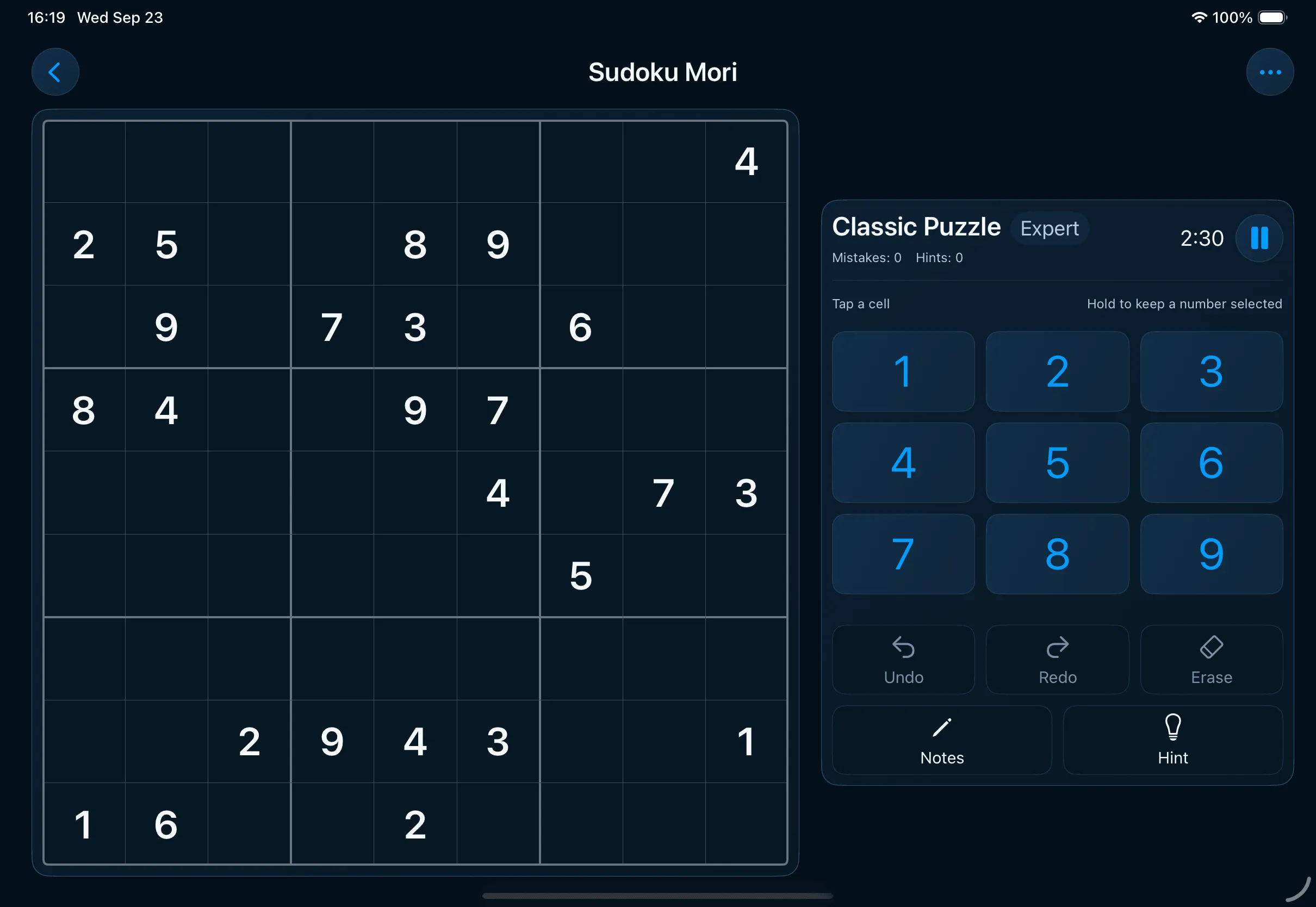
Right-handed · Dark


What changes
More room, used properly.
A bigger screen only helps if the game actually uses it. Here's what the two-column layout does that a blown-up phone app can't.
The board gets the whole side
The grid scales to its half of the screen instead of a phone width, so the cells stay square and the digits stay big.
The controls move to the other
Keypad, undo, redo, erase, notes and hint get a column of their own. Nothing overlaps the board or shoves it up the screen.
Either hand, either side
Pick which side the board goes on and the layout mirrors, so the controls end up under your free thumb.
Landscape first, and portrait too
Two columns is the landscape layout. In portrait the board takes the full width with the controls underneath, like on iPhone.
iPhone and iPad
The same game, on either device.
- Offline on both. Nothing downloads while you play, so a Wi-Fi-only iPad on a plane works just fine.
- No ads on either. No ads and no in-app purchases, and apart from the layout the iPhone and iPad versions are identical.
- Progress is shared, if you want it to be. Turn on Backup & iCloud and your puzzles and results move between devices through your own private iCloud.
- Comfort settings carry over. Dynamic Type, higher contrast and the haptics switch work the same on both.
If you're weighing up the two, the page about advertising and offline play explains what the game leaves out, and the rules of sudoku take about two minutes to read if you're new to the grid.
Common questions
Sudoku on an iPad.
How do you play sudoku on an iPad?
The same as anywhere else: fill the 9×9 grid so no digit repeats in a row, column or 3×3 box. On iPad the board fills one side of the screen and the keypad, undo, redo, notes and hint sit on the other, so your hand never covers the grid.
Does the layout work left-handed?
Yes. You choose which side the board goes on and the layout mirrors to match, so left-handers get the controls under their left thumb and the board on the right.
Does it use the Apple Pencil?
Not yet. You play by tapping cells and digits, and a Pencil works the same as a finger. I won't promise Pencil-specific features before they exist.
Does it run on both iPhone and iPad?
Yes, it's one app. Only the layout changes: a single column on iPhone, two columns in landscape on iPad.
Does it need an internet connection on iPad?
No. It plays fully offline. The only network feature is Backup & iCloud, which is optional and syncs your progress through your own private iCloud.
Is there an iPad version without ads?
There are no ads anywhere in Sudoku Mori, on either device, and no in-app purchases.
How do I move progress between an iPhone and an iPad?
Turn on Backup & iCloud in Settings → Your data. Your progress follows your Apple ID to your other devices, and the same screen can export a backup file for you to keep.
Where do I write about a problem on iPad?
Email me at support@sudokumori.com. Tell me which iPad you have, which iPadOS version it's on, and what you expected to happen.

Two columns, no clutter.
A board you can see, controls you can reach, and nothing else in the way.